


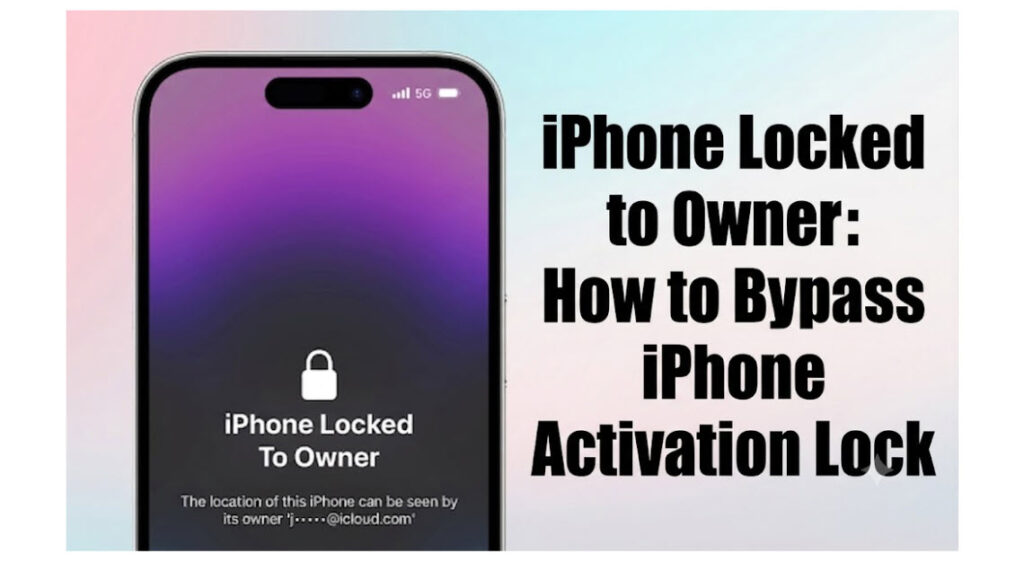
When you’re trying to set up or activate an iPhone, seeing the message “iPhone Locked to Owner” on the screen usually means that Apple’s Activation Lock feature has been enabled on the device.
This issue can be particularly troublesome for users who have forgotten their Apple ID password, purchased a second-hand iPhone, or received a used device from someone else. Even after a factory reset, the device may still require the Apple ID and password previously associated with it before it can be used again.
What causes the “iPhone Locked to Owner” message to appear, and what can you do about it? Fortunately, there are several methods that may help you remove the restriction and regain access to your iPhone.
What Does “iPhone Locked to Owner” Mean?
“iPhone Locked to Owner” is a message displayed when Apple’s Activation Lock feature is triggered.
Activation Lock is a security feature integrated into Find My iPhone (Find My). Once Find My is enabled, the device is automatically linked to the owner’s Apple ID.
If the device is reset or reactivated, you’ll need to enter the Apple ID and password previously linked to it before you can continue setup.
The primary purposes of Activation Lock are:
- Preventing unauthorized use of a lost or stolen device
- Protecting the owner’s personal data and privacy
- Reducing the resale value of stolen iPhones
As a result, even if someone obtains the device and performs a factory reset, they still cannot bypass Apple’s verification requirements.
Why Does My iPhone Say “Locked to Owner”?
There are several common reasons why this message appears.
Forgot Apple ID Credentials
Many users don’t log in to their Apple ID regularly and may forget their account credentials when switching devices or restoring an iPhone.
If the correct Apple ID information cannot be provided during activation, the device remains stuck on the Activation Lock screen.
Purchased a Second-Hand iPhone
This is one of the most common scenarios.
If the previous owner did not sign out of their Apple ID or disable Find My before selling the device, the new owner may encounter the “Locked to Owner” screen even after the iPhone has been factory reset.
Received an iPhone from a Family Member or Friend
Some users inherit or receive an older iPhone from someone else.
If the original owner forgot to remove their Apple ID from the device, Activation Lock will still be triggered during setup, requiring the previous account credentials.
Activation Lock Appears After a Factory Reset
If Find My was enabled before the reset, performing a factory reset will not remove Activation Lock.
Instead, the device will automatically request verification of the original Apple ID during the setup process.
How to Bypass iPhone Locked to Owner
Here are several common and effective methods to deal with Activation Lock.
Method 1: Enter the Correct Apple ID and Password
If you still have access to the Apple ID associated with the device, this is the fastest and safest solution.
Steps
- Enter the Apple ID on the Activation Lock screen.
- Enter the correct password.
- Tap Next.
- Wait for the verification process to complete.
- Finish activating the device.
If you’ve forgotten your password, you can reset it through Apple’s account recovery service and then proceed with activation.
Method 2: Ask the Previous Owner to Remove the Device Remotely
If you’ve purchased a used iPhone and can still contact the previous owner, ask them to remove the device remotely.
Steps
- Ask the previous owner to sign in to their iCloud account.
- Open Find My iPhone.
- Select the affected device.
- Choose Remove This Device.
- Confirm removal from the account.
Afterward:
- Restart the iPhone.
- Begin the setup process again.
- Activation Lock should be removed.
Method 3: Use iToolab UnlockGo (iOS) Activation Unlocker
If you cannot contact the previous owner and do not know the Apple ID credentials, a professional Activation Lock removal tool may be an option.
iToolab UnlockGo (iOS) iPhone Unlocker is a popular Activation Lock solution that helps users bypass Activation Lock and regain access to their devices with ease.
Key Features
- Start the unlocking process without the Apple ID password
- Bypass Activation Lock and regain access to the device
- User-friendly interface suitable for beginners
- Supports a wide range of iPhone and iPad models
- Regular compatibility updates for newer iOS versions and devices
How to bypass Activation lock via UnlockGo
Step 1: Install UnlockGo
Download and install iToolab UnlockGo (iOS) on your computer.
Step 2: Start Activation Lock Removal
Launch UnlockGo and select the Bypass Activation Lock feature.

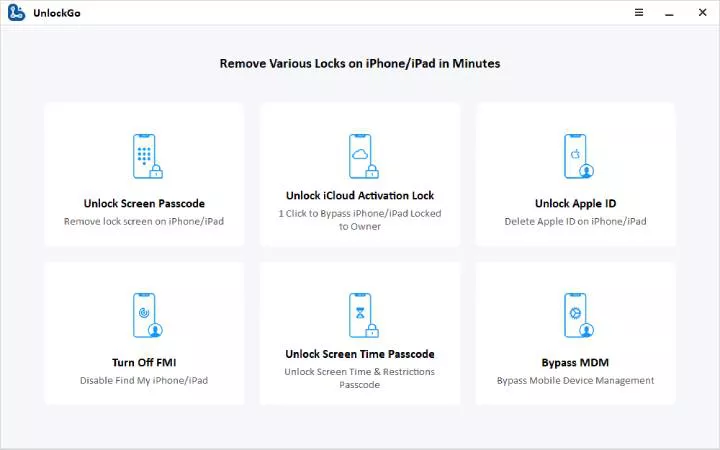
Step 3: Connect Your Device
Use a USB cable to connect your iPhone to the computer.
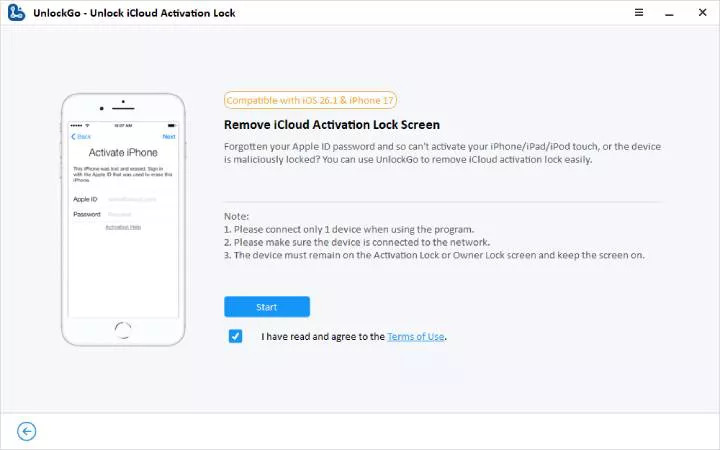
Step 4: Start Bypassing iCloud
During the removal process, your device will automatically restart several times, which is completely normal.
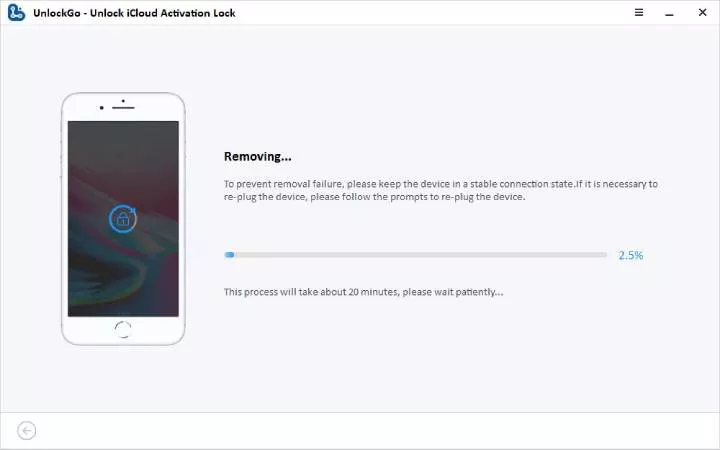
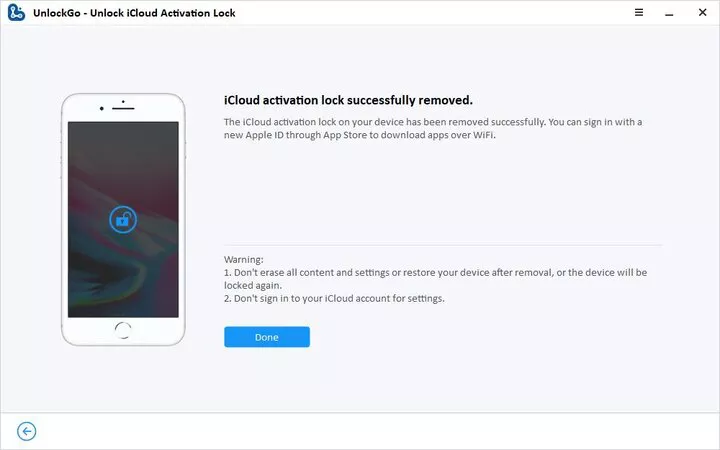
Step 5: Finish the Bypass Process
Wait for the process to complete. Once finished, you should be able to access your device again.
Method 4: Contact Apple Support
If you are the legitimate owner of the device and can provide proof of purchase, Apple may be able to remove Activation Lock for you.
Apple May Request
- Original purchase invoice
- Sales receipt
- Device serial number
- Proof of ownership
Steps
- Contact Apple Support.
- Submit the required documentation.
- Wait for Apple’s review.
- If approved, Apple will remove Activation Lock.
FAQs About iPhone Locked to Owner
Q1: Can a Factory Reset Remove Activation Lock?
No. Activation Lock is linked to the Apple ID associated with the device. Even after a factory reset, the original account credentials are still required.
Q2: Can I Remove Activation Lock Without the Apple ID?
If you cannot access the Apple ID information, you can try contacting the previous owner, providing proof of ownership to Apple, or using a professional unlocking solution such as iToolab UnlockGo.
Q3: Will Apple Remove Activation Lock for Free?
Yes, Apple may remove Activation Lock free of charge if you can prove that you are the legitimate owner of the device.
Conclusion
Activation Lock is an important security feature designed by Apple to protect devices from unauthorized use after loss or theft while safeguarding users’ personal data and privacy.
Whether you’re dealing with a forgotten Apple ID, a second-hand iPhone, or an Activation Lock that appears after a factory reset, there are several solutions available depending on your situation. For users who no longer have access to the associated account information, professional tools such as iToolab UnlockGo provide an alternative way to regain access to their devices.