


Picture this: You’re about to order your favorite meal through a food delivery app. You tap “Checkout,” and suddenly the app crashes. Frustrated, you restart it, only to find your cart is empty. You give up and call the restaurant directly instead. This scenario plays out millions of times daily across countless mobile apps. Mobile app bugs aren’t just minor annoyances; they’re business killers. Studies show that 88% of users abandon an app after a poor experience, and one-star reviews mentioning bugs can tank your app’s reputation overnight.
So here’s the million-dollar question: Can automation actually reduce these bugs? The short answer is yes, but there’s more to the story. In this article, we’ll explore what mobile app bugs are, how test automation works, and whether it’s the silver bullet developers hope for. Whether you’re a QA tester just starting out, a developer looking to improve your process, or a product manager trying to ship better apps, this beginner-friendly guide will help you understand automation’s role in building bug-free mobile experiences.
Understanding Mobile App Bugs
Before we dive into automation, let’s get clear on what we’re fighting against. A mobile app bug is simply an error or flaw in the software that causes it to behave unexpectedly or not as intended. These bugs can range from minor cosmetic issues to critical failures that make the app completely unusable.
Common Types of Mobile App Bugs:
- Functional bugs prevent features from working correctly, think a “Submit” button that does nothing when tapped
- UI/UX bugs affect how the app looks and feels, like text overlapping images or buttons appearing off-screen
- Performance bugs slow your app down, causing lag, freezing, or excessive battery drain that frustrates users
- Compatibility bugs rear their ugly heads on specific devices or operating system versions, working fine on an iPhone 15 but crashing on an older Android phone
- Security vulnerabilities are bugs that can expose user data or allow unauthorized access
Why are mobile apps particularly bug-prone? The answer lies in their complexity. Device fragmentation is enemy number one. Unlike desktop software that runs on relatively standardized hardware, mobile apps must work across hundreds of device models with different screen sizes, processors, and OS versions. An Android developer isn’t just building for “Android”; they’re building for Samsung, Google, Xiaomi, and dozens of other manufacturers, each with their own quirks.
Key Factors Contributing to Mobile App Bugs:
- Network variability adds another layer of complexity, as your app needs to handle everything from blazing-fast 5G to spotty subway Wi-Fi to complete disconnection
- User interactions in mobile apps are more complex than traditional software, with gestures, orientation changes, notifications, and background behavior all creating opportunities for things to go wrong
- Frequent updates mean new features are constantly being added, and each addition is a potential source of new bugs or might break something that previously worked fine
What is Test Automation for Mobile Apps?
Test automation is the practice of using software tools to run tests on your application automatically, without human intervention. Instead of a QA tester manually tapping through your app to check if everything works, automated tests execute predefined scenarios and verify results programmatically.
Think of it this way: Manual testing is like checking every door in a building by hand every single day. Automation is like installing sensors that check all the doors simultaneously and alert you immediately if any are unlocked. Both approaches test the doors, but automation does it faster, more consistently, and can run 24/7.
In manual testing, a tester follows a test script: “Open the app, tap Login, enter username, enter password, tap Submit, verify dashboard appears.” They physically perform these actions on a real device or emulator and document the results. With automation, you write code that performs these exact same steps programmatically and automatically verifies the expected outcomes.
Types of Automated Tests for Mobile:
- Unit tests examine individual pieces of code in isolation, testing a single function to ensure it returns the correct calculation, for instance
- Integration tests verify that different components of your app work together properly, like ensuring your payment module correctly communicates with your inventory system
- UI or functional tests simulate actual user interactions, automating taps, swipes, and text input to test complete user workflows
- Performance tests check your app’s speed, memory usage, and stability under various conditions, including heavy load
The mobile testing ecosystem includes various automation frameworks and tools available for both iOS and Android platforms. These tools allow you to write test scripts that interact with your app just as a user would, but at computer speed and with perfect consistency.
How Automation Reduces Mobile App Bugs
Now for the heart of the matter: How does automation actually reduce bugs? Let’s break down the key ways automation makes your app more reliable.
Catching Bugs Early and Often
The earlier you catch a bug, the cheaper and easier it is to fix. Automated tests integrate directly into your development pipeline through continuous integration systems. Every time a developer commits new code, automated tests run immediately and provide instant feedback. If a change breaks something, the developer knows within minutes, not days or weeks later when a tester manually discovers it.
Imagine a developer adding a new feature to display user avatars. They accidentally introduce code that breaks the login screen. Without automation, this bug might sit undetected until the next QA cycle, potentially days away. With automation, tests run automatically within minutes of the code commit, catching the issue before the developer even switches to their next task. They can fix it immediately while the code is fresh in their mind.
Consistency and Repeatability
Humans are amazing, but we’re not perfectly consistent. A manual tester might miss a step, test slightly differently each time, or overlook a subtle issue on their 50th test of the day. Automated tests execute exactly the same way every single time, with zero variation.
This consistency is crucial for regression testing, which verifies that existing functionality still works after changes are made. Let’s say your app has 500 different features and workflows. Every time you release an update, you need to verify that none of those 500 things broke. Manually testing all 500 is time-consuming and error-prone. Automated regression tests can run through all critical paths consistently, catching unexpected side effects of new code changes.
Testing Across Multiple Devices
Remember that device fragmentation problem we discussed? Automation helps solve it. While no one can manually test on every possible device combination, automated tests can run simultaneously on dozens or even hundreds of device configurations using cloud testing platforms.
A real-world example: Your app needs to work on both Android and iOS, across various screen sizes (from small phones to tablets), and on different OS versions (iOS 15, 16, 17, and Android 11, 12, 13, 14). That’s potentially dozens of combinations. Cloud testing platforms let you run your automated tests across all these configurations in parallel. What might take weeks of manual testing can be completed in hours.
Faster Testing Equals More Testing
Speed matters enormously in modern development. A suite of automated tests that would take a human team days to execute manually can run in minutes or hours when automated. This speed enables testing at a frequency that would be impossible manually.
Speed Advantages of Automation:
- A manual tester might complete 10 to 15 test cases per hour
- An automated test suite can execute hundreds or thousands of test cases in the same time
- Full test suites can run multiple times per day, before every release, or even after every code change
- Overnight and weekend testing becomes possible, with fresh results available every morning
More frequent testing means bugs are caught faster, closer to their introduction, when they’re easiest to fix. The speed advantage maximizes productivity without burning out your testing team.
Performance and Load Testing
Some bugs only appear under stress. How does your app handle 10,000 simultaneous users? What happens when the user’s network connection drops suddenly? Does your app leak memory over extended use?
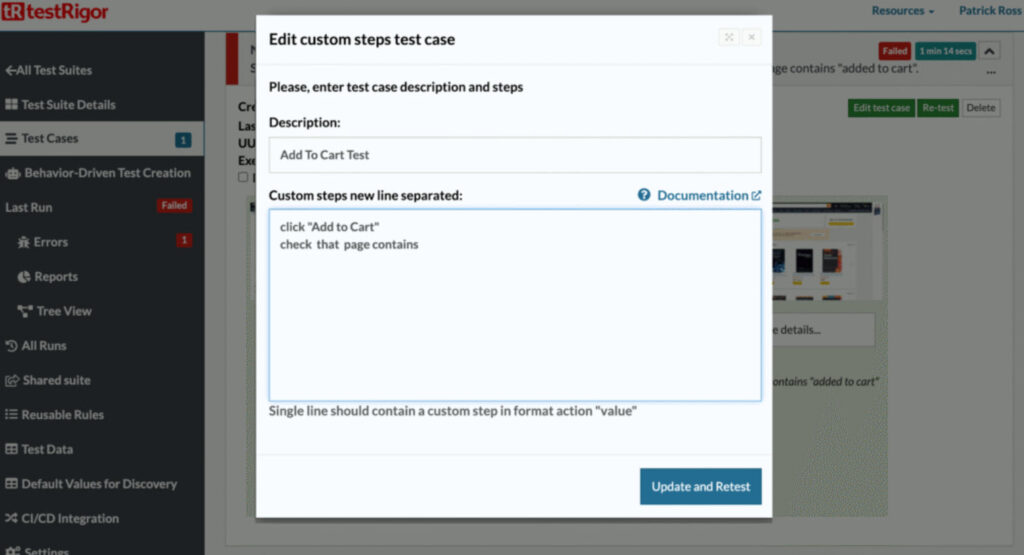
Automated tools for testing, like testRigor, can simulate thousands of virtual users interacting with your app simultaneously, stress-testing your backend services and identifying bottlenecks before real users encounter them. They can run memory profiling for hours or days to catch slow memory leaks that wouldn’t be apparent in short manual testing sessions. They can simulate various network conditions (3G, 4G, 5G, intermittent connectivity) and verify your app handles all gracefully.
For example, an e-commerce app might work perfectly during normal testing, but crash during a Black Friday sale when traffic spikes 10x. Automated load testing can simulate that traffic spike beforehand, revealing bugs that only appear under heavy load and giving developers time to fix them before the actual event.
What Automation Cannot Do
Before you rush to automate everything, let’s be realistic about automation’s limitations. It’s powerful, but it’s not magic.
Key Limitations of Test Automation:
- No creative exploration: Automated tests only check what you explicitly program them to check. They can’t explore your app creatively or think “what if I try this weird thing?” the way human testers do
- Limited UX evaluation: Visual and UX bugs often require human judgment. Automation can verify that a button exists in the correct location, but can’t judge whether the color scheme is appealing or whether the user flow feels intuitive
- Upfront investment required: Writing test scripts takes time and expertise. You need developers or QA engineers who understand both testing principles and programming
- Ongoing maintenance: As your app evolves, your automated tests must evolve too. UI changes often break tests, requiring updates to test scripts
- False positives: Neglected test suites become unreliable, producing false positives that erode trust in the automation
The best approach combines automation and manual testing. Use automation for repetitive tasks, regression testing, and scenarios requiring consistency or speed. Use human testers for exploratory testing, UX evaluation, and scenarios requiring creativity or judgment. They’re complementary tools, not competitors.
Real-World Impact and Examples
So does automation actually work in practice? The evidence says yes. Organizations that implement comprehensive test automation consistently report significant improvements in their release quality and velocity.
Many leading mobile apps run thousands of automated tests on every code change. This enables them to deploy updates multiple times per day while maintaining stability. Companies report catching 70% to 80% of bugs before they reach production through automated testing, dramatically reducing the bugs that real users encounter.
Measurable Benefits of Test Automation:
- Teams can shift from monthly or quarterly releases to weekly or even daily updates
- A bug reduction of 40% to 60% in production is common after implementing robust test automation
- The severity of bugs that do reach production tends to decrease
- Finding and fixing a bug in production costs 10 to 100 times more than catching it during development
The financial impact matters too. By catching more bugs earlier, automation delivers significant ROI despite its upfront costs, considering the savings from avoiding emergency fixes, reduced customer support costs, preventing user churn, and protecting reputation.
Getting Started with Mobile Test Automation
Ready to explore automation for your mobile app? Here’s how to begin without getting overwhelmed.
Practical Steps to Begin:
- Start small with critical flows: Don’t try to automate everything at once. Identify the 3 to 5 most critical user journeys in your app (perhaps login, core feature usage, and checkout) and automate those first
- Build gradually: Each automated test you write teaches you something about your app’s testability and your team’s automation capabilities
- Learn from failures: When a test fails, investigate whether it caught a real bug or whether the test itself needs improvement
- Invest in learning: Budget time for your team to learn testing frameworks, best practices, and your chosen automation tools
- Choose the right battles: Some features are easier to automate than others. Focus your early automation efforts where you’ll get the most reliable, maintainable tests
Conclusion
So, can automation reduce mobile app bugs? Absolutely yes, and the evidence is overwhelming. Automation provides consistency that humans can’t match, speed that enables testing at scale, and coverage across device configurations that would be impossible manually. It catches bugs earlier in development when they’re cheaper to fix, enables faster release cycles, and significantly reduces the number and severity of bugs reaching production.
If you’re not using automation yet, there’s never been a better time to start. The tools are more accessible than ever, the community support is extensive, and the competitive pressure to deliver high-quality apps quickly makes automation practically essential. Start small, learn continuously, and gradually build your automation capabilities. Your users don’t care about your development process; they just want apps that work reliably, every time. Automation is one of the most powerful tools available to deliver on that expectation.