Android 16 Factory Reset Protection (FRP) is a security feature that requires the previously synced Google account credentials to activate a device after a hard reset. In 2026, this mechanism utilizes hardware-attested verification and updated security patches to prevent unauthorized access. For users who cannot recover their account via Google’s official recovery portal, access can typically be restored through specialized system-level utility software or professional repair tools, iMobie DroidKit, to bypass FRP on Android 16. The effectiveness of these methods depends on the device manufacturer’s security layer and the specific security patch version installed on the OS.
If you have performed a hard reset and are now staring at the “Verify your account” screen without the original Google credentials, your device is effectively “brick-locked.” This guide explores the mechanics of Android 16 security and provides 2 methods to regain access to your device.
Understanding the Android 16 FRP Architecture
Factory Reset Protection (FRP) is a security method designed by Google to prevent unauthorized access to a device after a factory reset. If a device is reset without the Google account being manually removed first, the system triggers a mandatory verification during the initial setup.
What’s New in Android 16?
By 2026, Google will have moved beyond simple software-based checks. Android 16 introduces:
- Hardware-Attested Verification: The FRP token is now stored within the device’s Trusted Execution Environment (TEE), making it nearly impossible to bypass via simple system glitches.
- Live Security Policy Updates: Even without a Wi-Fi connection, the Android 16 Setup Wizard utilizes background protocols to verify the device’s “locked” status.
- Manufacturer-Specific Layers: Brands like Samsung (One UI), Xiaomi (HyperOS), and OPPO have integrated their own cloud-based activation locks on top of the standard Android FRP.
Common Scenarios: Why Devices Get “Google Locked”
The FRP barrier usually affects two primary profiles:
The Legacy Owner
You’ve owned the phone for years, relying on Face Unlock or Fingerprint IDs. After a system crash or a “spring cleaning” reset, you realize you haven’t typed your Google password in years. Without it, you are locked out of your own hardware.
The Professional Reseller (The “David” Persona)
As a reseller of used smartphones, David often acquires devices that were reset by previous owners who forgot to sign out. If the previous owner is unreachable, the phone becomes a liability rather than an asset. Understanding the Android 16 Google account verification fix is essential for business continuity.
The Official Path: Google Account Recovery
Before turning to technical utilities, you should always exhaust Google’s official recovery channels. For many users, the FRP lock is not a “system failure” but a “verification gap” that can be solved with the right credentials. Here are the steps:
Step 1. Visit the Google Account Recovery page on a secondary device.
Step 2. Use a recovery phone number or secondary email to reset the password.
Critical Note: Android 16 enforces a 24-hour to 72-hour security cooldown. If you change your password, you may have to wait before the device recognizes the new credentials during the setup phase.
Bypass FRP on Android 16 via iMobie DroidKit [Easy & Secure]
When official recovery is impossible and manual “tricks” found on YouTube fail, professional-grade software becomes necessary. iMobie DroidKit stands out as the most reliable tool for bypassing the Google account verification screen on Android 16. Unlike generic tools that use outdated exploits, DroidKit is engineered to navigate the complexities of modern security patches.
Main Benefits of iMobie DroidKit:
- Wide Brand Compatibility: DroidKit provides specialized bypass solutions for all major manufacturers, including Samsung, Xiaomi, OPPO, and Motorola.
- Version-Specific Success: It maximizes results by automatically matching the bypass method to your device’s specific Android version and security patch.
- Private Local Control: All operations are performed locally on your computer with SSL-256 encryption, ensuring your data never leaves your hands.
- Simple 3-Step Process: Regain access in minutes with an intuitive, beginner-friendly workflow that requires no technical expertise.
How to Use iMobie DroidKit for FRP Bypass Android 16:
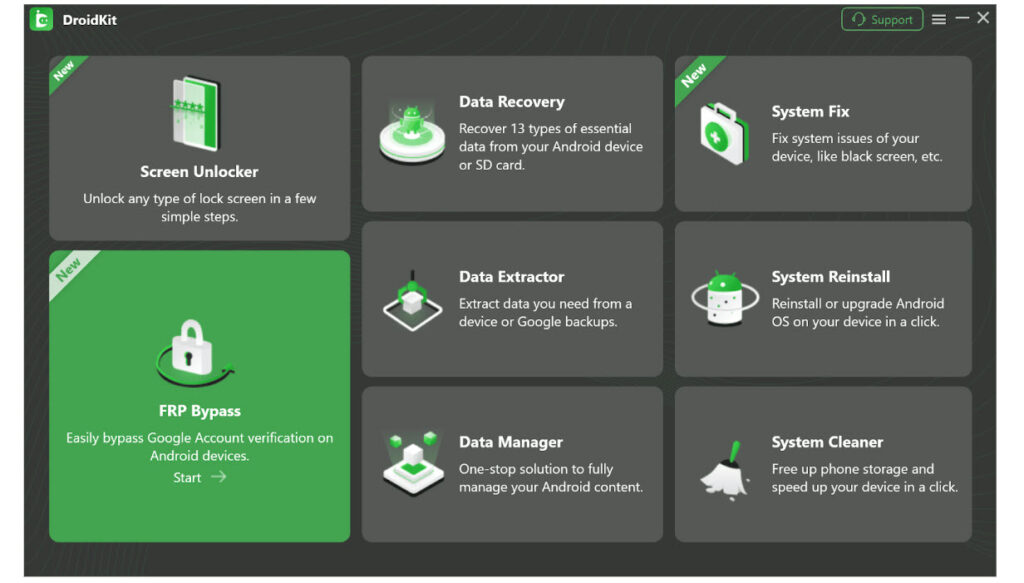
Step 1: Launch and Connect
Open DroidKit on your PC/Mac and select the “FRP Bypass” mode. Connect your Android 16 device via a high-quality USB cable.
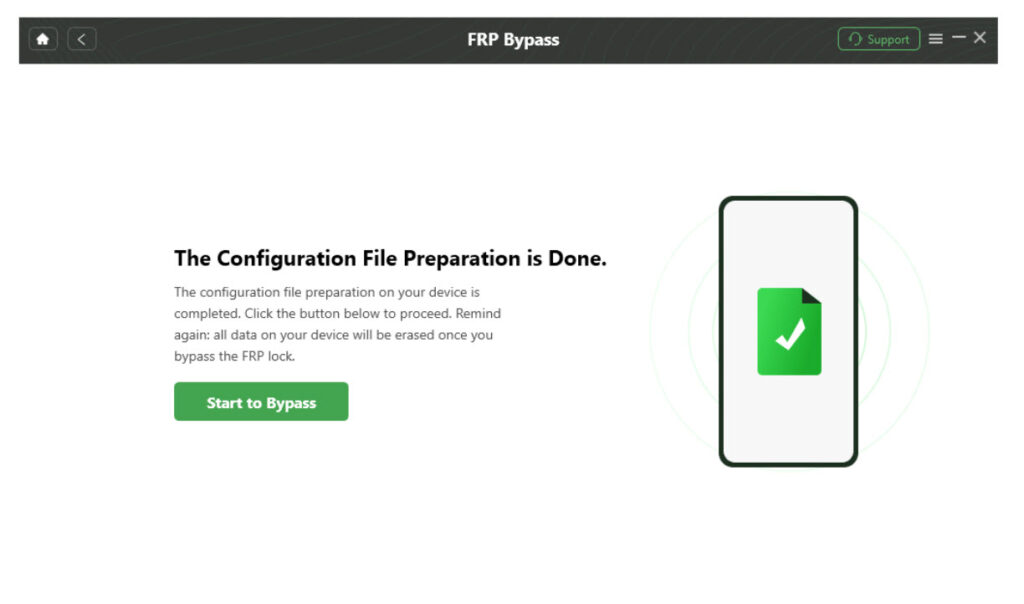
Step 2: Configuration Download
The software will automatically prepare a configuration file tailored to your specific phone brand and OS version.
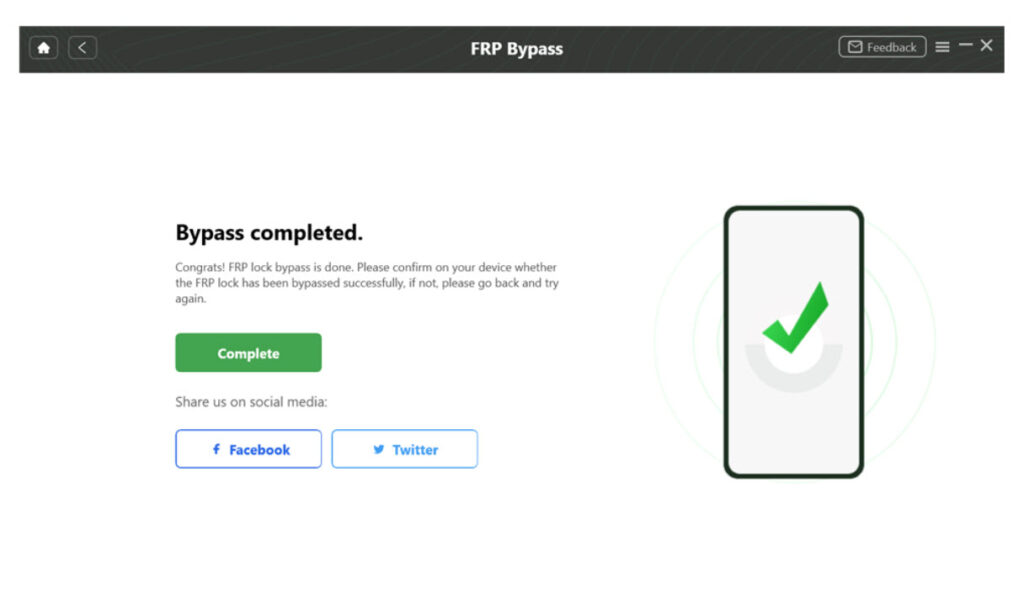
Step 3: Start Bypass
Follow the on-screen graphical instructions. DroidKit will guide you through the process, and in just a few minutes, the Google lock will be removed.
Why Manual “Bypass Tricks” Fail on Android 16
Many users waste hours searching for “Android 16 FRP Bypass without PC.” By 2026, the era of “manual glitches” is largely over.
- TalkBack Method Patched: The famous “TalkBack settings” entry point has been completely overhauled in Android 16 to prevent unauthorized settings access.
- Emergency Dialer Blocks: The ability to launch a browser via the emergency call screen has been restricted in the latest security patches.
- Settings Loophole Closure: Google now uses a “Setup Wizard Sandbox,” meaning even if you manage to open the Settings menu, the system prevents you from adding a new account or toggling OEM Unlocking until the original identity is verified.
This is why a tool like iMobie DroidKit, which interacts with the device at a system-level logic, is the only consistent way to achieve results.
Expert Insights for Used Device Resellers
For professionals like David, managing FRP is about ROI (Return on Investment).
- Diagnosis: Before buying a used device, try to reach the “Wi-Fi” screen. If the “Skip” button is missing, FRP is active.
- Efficiency: Using a streamlined tool like DroidKit reduces the “bench time” for a locked phone from hours of troubleshooting to under 10 minutes.
- Value Retention: A phone that is locked is worth almost nothing (parts only). A phone with the FRP removed is worth its full market resale value.
FAQ About FRP Bypass Android 16
Q1: Will Bypassing FRP Void My Device Warranty?
Software-based bypasses using iMobie DroidKit generally do not trip hardware flags like Samsung’s Knox warranty bit. However, always check local regulations regarding “right to repair.”
Q2: Does Android 16 Make FRP “Permanent”?
Without the correct tools or credentials, yes. The encryption is designed to be permanent to deter theft. Professional software is the only non-official way to reset this state.
Q3: Is iMobie DroidKit Safe for My Computer?
Yes. iMobie DroidKit is a verified software used by millions. It contains no malware and does not require you to disable your antivirus during the process.
Conclusion: Take Control of Your Hardware
An FRP lock on Android 16 can be a frustrating experience, whether you’re a legitimate owner or a reseller. While Google’s security is tighter than ever, solutions like iMobie DroidKit provide a bridge for users to regain access to their property safely and efficiently.
By choosing a path that prioritizes security, brand-specific solutions, and ease of use, you can turn a “bricked” device back into a fully functional smartphone in minutes.

Recent comments