Buying a used iPhone can be exciting until one message appears on the setup screen: iPhone Locked to Owner.
This usually means the device is protected by iCloud Activation Lock. Even after a factory reset, the iPhone still asks for the Apple ID previously linked to the device. For many second-hand buyers, this becomes one of the most frustrating iPhone problems.
In 2026, this issue is even more common because many users are upgrading to newer models like the iPhone 17, iPhone 17 Pro, and iPhone 17 Pro Max while selling older devices without properly removing them from their Apple ID.
This guide explains what iCloud Activation Lock is, what options you have, and how to use AnyUnlock to unlock an iCloud locked iPhone with its updated iCloud Activation Lock bypass support.
What Does iCloud Locked Mean?
An iCloud locked iPhone means the device is still connected to the previous owner’s Apple ID through Find My iPhone.
This security feature is designed to protect lost or stolen devices. When Activation Lock is enabled, the iPhone cannot be fully activated without the correct Apple ID and password.
You may see messages like:
- iPhone Locked to Owner
- Activation Lock
- This iPhone is linked to an Apple ID
- Enter the Apple ID and password used to set up this iPhone
A normal factory reset will not remove this lock.
Can You Unlock an iCloud Locked iPhone?
The best official method is to contact the original owner and ask them to remove the device from their Apple ID.
They can do this remotely by going to iCloud, selecting the device, and removing it from their account.
However, this is not always possible. Many users buy second-hand iPhones from marketplaces, local sellers, or online stores, only to find that the seller is unreachable.
In this situation, a professional iPhone unlocking tool can help eligible users regain access to their own device.
One practical option is AnyUnlock – iPhone Password Unlocker.
link: https://www.imobie.com/anyunlock/?utm_source=google&utm_medium=concept-phones&utm_campaign=how_to_unlock_icloud_locked_iphone
Why AnyUnlock Is Worth Considering
AnyUnlock is designed for common iPhone lock problems, including screen passcodes, Apple ID removal, Screen Time passcodes, MDM lock, and iCloud Activation Lock bypass.
For users dealing with an iCloud locked iPhone, the most important update is its expanded iCloud Activation Lock bypass support.
The updated support now includes:
- iOS 12.0 to iOS 16.7.11
- iOS 17.2 to iOS 26.1
- Support for mainstream iPhone and iPad models
- Support for the latest iPhone 17 series and iOS 26.1
- No jailbreak required for the new iOS 17.2 to iOS 26.1 process
- Windows 7, Windows 8/8.1, Windows 10, Windows 11
- macOS 10.13 High Sierra and later
Previously, iOS 12.4.5 and iOS 12.4.6 were excluded from the supported range. The updated version removes that limitation and keeps the original process for iOS 12.0 to iOS 16.7.11.
For iOS 17.2 to iOS 26.1, AnyUnlock now uses a new bypass process that does not require jailbreaking. During the bypass process, the device may restart several times automatically. Users should keep the device connected and avoid operating the phone until the process finishes.
Supported Devices and Systems
AnyUnlock’s iCloud Activation Lock bypass is positioned for mainstream iPhone and iPad devices, including newer models such as:
- iPhone 17
- iPhone 17 Pro
- iPhone 17 Pro Max
- iPhone 16 series
- iPhone 15 series
- iPhone 14 series
- iPhone 13 series
- iPad models supported by the tool
Supported system range:
- iOS 12.0 to iOS 26.1
- Windows 7 or later
- macOS 10.13 or later
Note: Some device and system combinations between iOS 17.2 and iOS 26.1 may still be under verification. If a device shows as unsupported, users should contact support or check the latest compatibility list.
How to Unlock an iCloud Locked iPhone with AnyUnlock
Follow these steps carefully.
Step 1: Download and Install AnyUnlock
Go to the official AnyUnlock website: Download the correct version for your computer. Install and open AnyUnlock on your Windows PC or Mac.
link: https://www.imobie.com/anyunlock/?utm_source=google&utm_medium=concept-phones&utm_campaign=how_to_unlock_icloud_locked_iphone
Step 2: Choose iCloud Activation Lock Bypass
On the main interface, select the iCloud Activation Lock bypass option. This is the feature designed for devices stuck on the Activation Lock or “iPhone Locked to Owner” screen.
Bypass your iCloud activation lock
Step 3: Connect Your iPhone or iPad
Use a USB cable to connect your iPhone to the computer. Keep the device connected throughout the whole process.
This is especially important for iOS 17.2 to iOS 26.1 because the device may restart automatically several times during bypass.
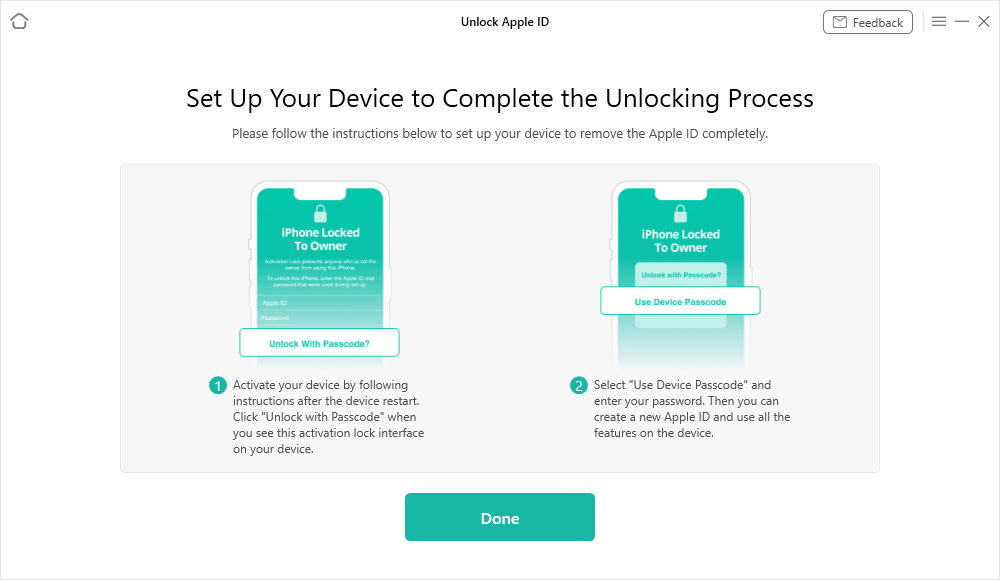
connect your device
Step 4: Check Whether the Device Is Supported
AnyUnlock will detect your device model and iOS version. If your device is supported, you can continue to the bypass page.
If the device is not supported, the tool will show an unsupported device page. In this case, check the official compatibility information or contact support for help.
Step 5: Start the Bypass Process
Click to start the bypass.
During this stage:
- Do not unplug the device
- Do not operate the iPhone
- Do not close AnyUnlock
- Wait while the progress page completes
- Allow the device to restart automatically if needed
The process is designed to run without manual device operation for supported iOS 17.2 to iOS 26.1 devices.
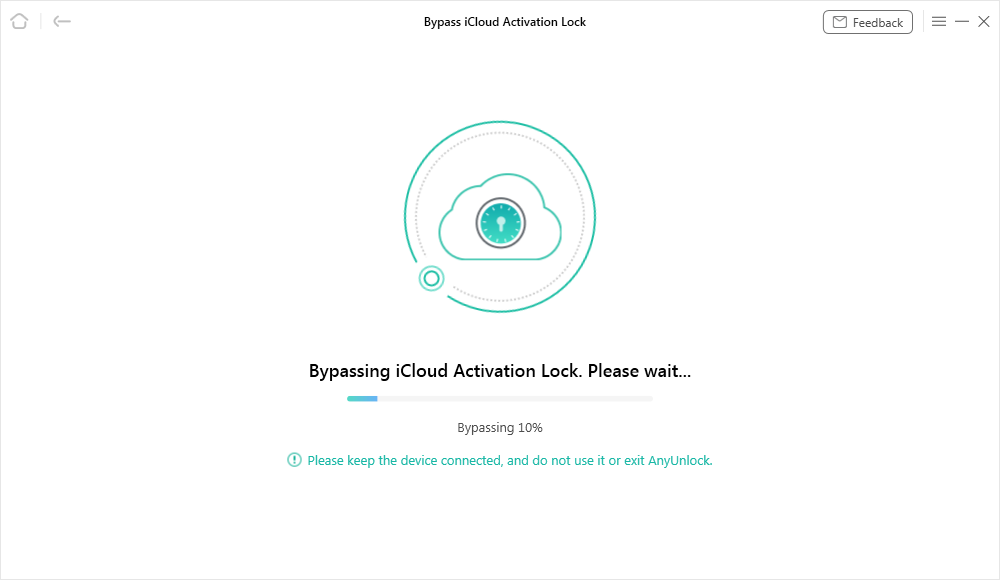
start bypass process
Step 6: Check the Bypass Result
When the process finishes, AnyUnlock will show the result page. If successful, you can continue setting up the device according to the on-screen instructions.
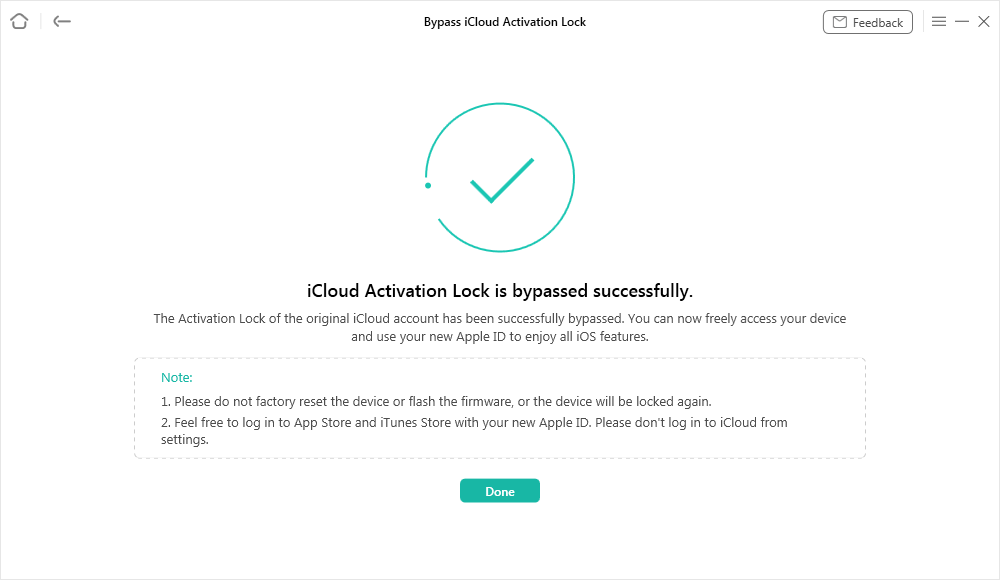
progress successfully
Important Things to Know Before You Start
AnyUnlock should only be used on devices you own or have permission to unlock.
Before using any iCloud unlocking tool, remember:
- A factory reset does not remove Activation Lock.
- The original owner removing the device from iCloud is still the best official solution.
- Some device models or iOS versions may not be supported yet.
- Keep your device connected during the entire bypass process.
- For iOS 17.2 to iOS 26.1, the new process does not require jailbreak.
- Some older device or system combinations may still require different handling.
This makes AnyUnlock especially useful for people who bought a used iPhone, inherited a family device, or forgot the Apple ID linked to their own device.
Final Thoughts
Unlocking an iCloud locked iPhone can feel impossible, especially when the previous owner is unreachable or the device is stuck on the Activation Lock screen after reset.
With updated support for iOS 12.0 to iOS 26.1, including the latest iPhone 17 series and iOS 26.1, AnyUnlock gives users a clearer and more practical way to handle iCloud Activation Lock problems.
Its new iOS 17.2 to iOS 26.1 bypass process is especially important because it does not require jailbreak and follows a simpler connection-based workflow.
Get AnyUnlock here: Unlock your iCloud locked iPhone, regain access to your device, and stop letting Activation Lock turn your iPhone into an unusable screen.
link: https://www.imobie.com/anyunlock/?utm_source=google&utm_medium=concept-phones&utm_campaign=how_to_unlock_icloud_locked_iphone

Recent comments